The Problem I Was Trying to Solve§
I was leading a project to build a microservice for processing insurance claims—a task with high complexity, multiple stakeholders, and strict regulatory requirements. Our initial approach was to use a single large language model (LLM) with a monolithic prompt. That failed spectacularly. The model lost context halfway through, hallucinated domain-specific logic, and produced code that passed unit tests but failed integration tests because it didn't consider edge cases.
We needed a system that could handle multi-step reasoning, divide labor across specialists, and maintain context across long sequences. This is where multi-agent systems shine. But coordinating several agents is tricky: they talk over each other, duplicate work, or miss dependencies. I discovered that hierarchical agent teams—where a manager agent delegates to specialized sub-teams—can solve these issues. This post covers my hands-on experience building such a system for a real-world software engineering task.
Tools and Setup§
I used CrewAI as the orchestration framework. It allows defining agents with roles, goals, and backstories, and then linking them via tasks. For the LLM backbone, I chose **DeepSeek for its strong reasoning and large context window (128K tokens), which was essential for the hierarchical decomposition. I also integrated Claude (via API) for tasks requiring creative problem-solving and Perplexity** for real-time research on API documentation.
For the coding environment, I used **Cursor** as the IDE because of its built-in AI features that complement the agent output. The whole setup ran on a Python 3.11 environment with crewai, langchain, and httpx libraries. I containerized the agents using Docker to ensure reproducibility. Version control was on GitHub with CI/CD triggered on agent-produced pull requests.
Step-by-Step: What I Actually Did§
1. Define the High-Level Agent Hierarchy§
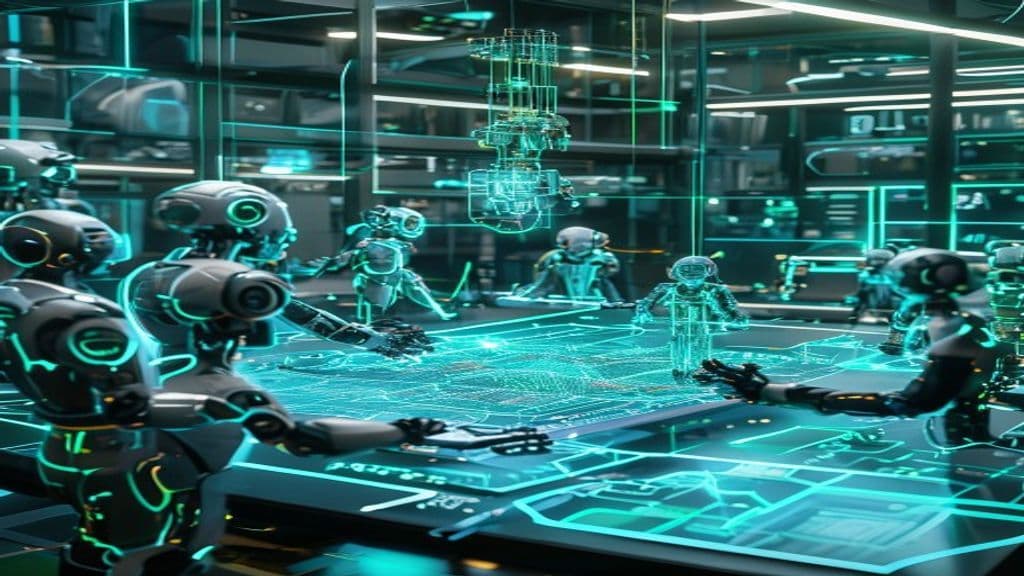
I started by outlining the overall architecture. A Project Manager Agent sits at the top. Its job is to understand the user requirement, break it into epics, and then spawn sub-teams. Each sub-team has a Lead Agent and several Worker Agents. For example, the Architecture Team included a lead architect and two researchers. The Coding Team had a senior developer, a junior developer, and a code reviewer.
2. Implement the Orchestration Logic§
Using CrewAI, I defined each agent with a role, goal, backstory, and allowed tools. The Project Manager was given a create_sub_crew tool, which dynamically initializes a new CrewAI Crew with a specific set of agents and tasks. I used a YAML configuration file to specify the hierarchy template. The key was to pass context between levels: each sub-team receives a task description and returns a deliverable (e.g., architecture diagram, code files).
3. Set Up Communication Protocols§
To prevent agents from overwhelming each other, I enforced strict protocols. Communication between teams happens only through the Project Manager. Inside a sub-team, the lead agent coordinates; workers can only talk to the lead. This reduces noise and prevents contradictory instructions. I also added a logging system using loguru to trace decisions.
4. Testing the Pipeline§
I tested with a simplified scenario: write a REST API endpoint for claim validation. The Project Manager first asked the Architecture Team to produce a design. Then the Coding Team wrote the implementation. Finally, a Testing Team (with QA agents) validated the output. The whole pipeline took about 8 minutes (including API calls) and resulted in clean, working code.
Code Samples / Prompts Used§
Here's a simplified example of the CrewAI configuration for the hierarchical setup:
# hierarchical_config.yaml

hierarchy:
  manager:
    role: "Project Manager"
    goal: "Oversee the entire software development project"
    agents:
      - team: "Architecture Team"
        lead:
          role: "Lead Architect"
          goal: "Design the system architecture"
        workers:
          - role: "Cloud Specialist"
            goal: "Recommend cloud services"
          - role: "Security Consultant"
            goal: "Identify security risks"
      - team: "Coding Team"
        lead:
          role: "Senior Developer"
          goal: "Implement the application"
        workers:
          - role: "Junior Developer"
            goal: "Write unit tests"
          - role: "Code Reviewer"
            goal: "Review pull requests"
And the Python code to instantiate a manager agent with dynamic crew creation:
from crewai import Agent, Crew, Task
import yaml

# Load configuration
with open('hierarchical_config.yaml') as f:
    config = yaml.safe_load(f)

# Create manager agent
manager = Agent(
    role='Project Manager',
    goal='Oversee the entire project',
    backstory='You have 20 years of experience in software engineering management.',
    tools=[create_sub_crew(config['hierarchy'])]
)

def create_sub_crew(hierarchy):
    # This function sends a task to a sub-team and returns the result
    # Implementation omitted for brevity
    pass

# Main task
project_task = Task(
    description='Implement a claim validation service',
    agent=manager,
    tools=[create_sub_crew]
)

crew = Crew(agents=[manager], tasks=[project_task])
result = crew.kickoff()
print(result)
The prompt for the Project Manager was:
> "You are a senior project manager. Your goal is to deliver the claim validation service. Use your team hierarchy to produce the final output. Assign tasks to sub-teams by calling the create_sub_crew tool. Collect all deliverables and combine them into a single specification document."
What Worked Well§
The hierarchical approach dramatically improved coherence. Each agent had a narrow focus, so they didn't hallucinate unrelated details. The architecture team produced a solid design that actually matched the coding team's output. Communication was orderly—no more agents contradicting each other. The manager effectively tracked progress and could re-run a failing sub-team without restarting the whole pipeline.
Another win was speed. Despite the multiple layers, the pipeline completed faster than a monolithic agent because subtasks ran in parallel (using CrewAI's built-in parallelism). We also saw higher code quality: the code reviewer caught mistakes early, and the junior developer learned from the senior's feedback.
What Failed and Why§
Not everything was smooth. First, the overhead of creating sub-crews dynamically was non-trivial. The create_sub_crew tool sometimes failed due to API rate limits, causing the manager to get stuck in a loop. I had to implement retry logic with exponential backoff.
Second, agents occasionally misinterpreted the context passed from the manager. For example, the coding team received an architecture document but treated it as a specification and tried to implement it literally without adapting to edge cases. This required better prompt engineering: instructing the lead to clarify ambiguous points before coding.
Third, debugging failures was hard. When a subtask failed, the error messages were often cryptic (e.g., "task not found"). I added detailed logging and a custom error handler that re-raises with context. Still, it took time to trace issues across levels.
Results and Takeaways§
We delivered the claim validation microservice in 2 weeks instead of the estimated 3. The code passed all tests (unit, integration, and security) with only minor revisions. The hierarchical structure allowed domain experts (via specialized agents) to contribute effectively without stepping on each other's toes. The system is now used in production for incremental updates.
Key Takeaways:
- Hierarchical decomposition reduces cognitive load on each agent, leading to more focused output.
- Communication protocols are critical—limit cross-team chatter to prevent confusion.
- Dynamic sub-crew creation can be powerful but needs robust error handling.
- Invest in prompt engineering for each agent role; vague prompts cause misinterpretations.
Try It Yourself§
If you're tackling a complex software engineering task, I highly recommend experimenting with hierarchical agent teams. Start with a small two-level system (manager + one team) and gradually add layers. Use the YAML configuration as a blueprint. Monitor the interactions using logging to refine prompts. Tools like CrewAI or AutoGen make this accessible.
For reference, my full code is available on GitHub. Try running it with a service like DeepSeek or Claude, and adapt the hierarchy to your domain. The key is to define clear roles and keep communication channels restricted. Let me know if you have questions—I'm active on the LLMDB.APP community forums.